
How to install POWR on NationBuilder
NationBuilder is a powerful platform designed for communities, campaigns and organizations looking to build and engage their audience online. If you’re using NationBuilder to power your website and want to add interactive elements like forms, popups, countdown timers or social feeds, POWR has you covered. Since NationBuilder supports custom HTML and embed codes, installing a POWR app on your NationBuilder site is a straightforward process that doesn’t require any coding experience. In this article we’ll walk you through exactly how to get your POWR app embedded on your NationBuilder site in just a few simple steps.
To install POWR apps to Nationbuilder please follow the next steps:
Generate embed code of the app, please: Press the "Publish" button > Copy the code.
Go to the NationBuilder dashboard > Website
Choose a page where you want to install the app and click Edit
Go to the Template tab and create a custom template
Paste the app embed code to the template you created, click Save and publish changes
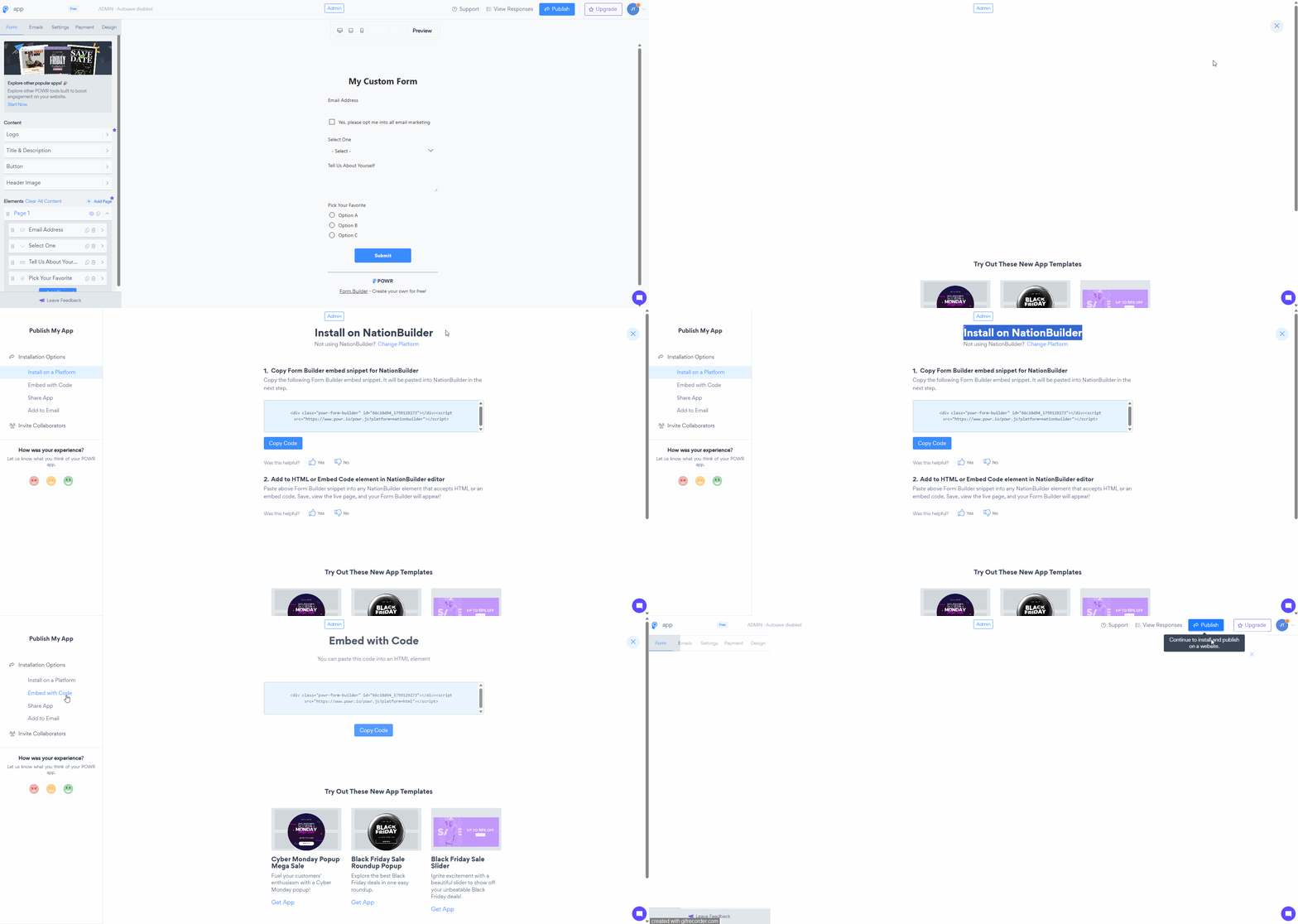
(click right click - open image in new tab - to see in a full window)
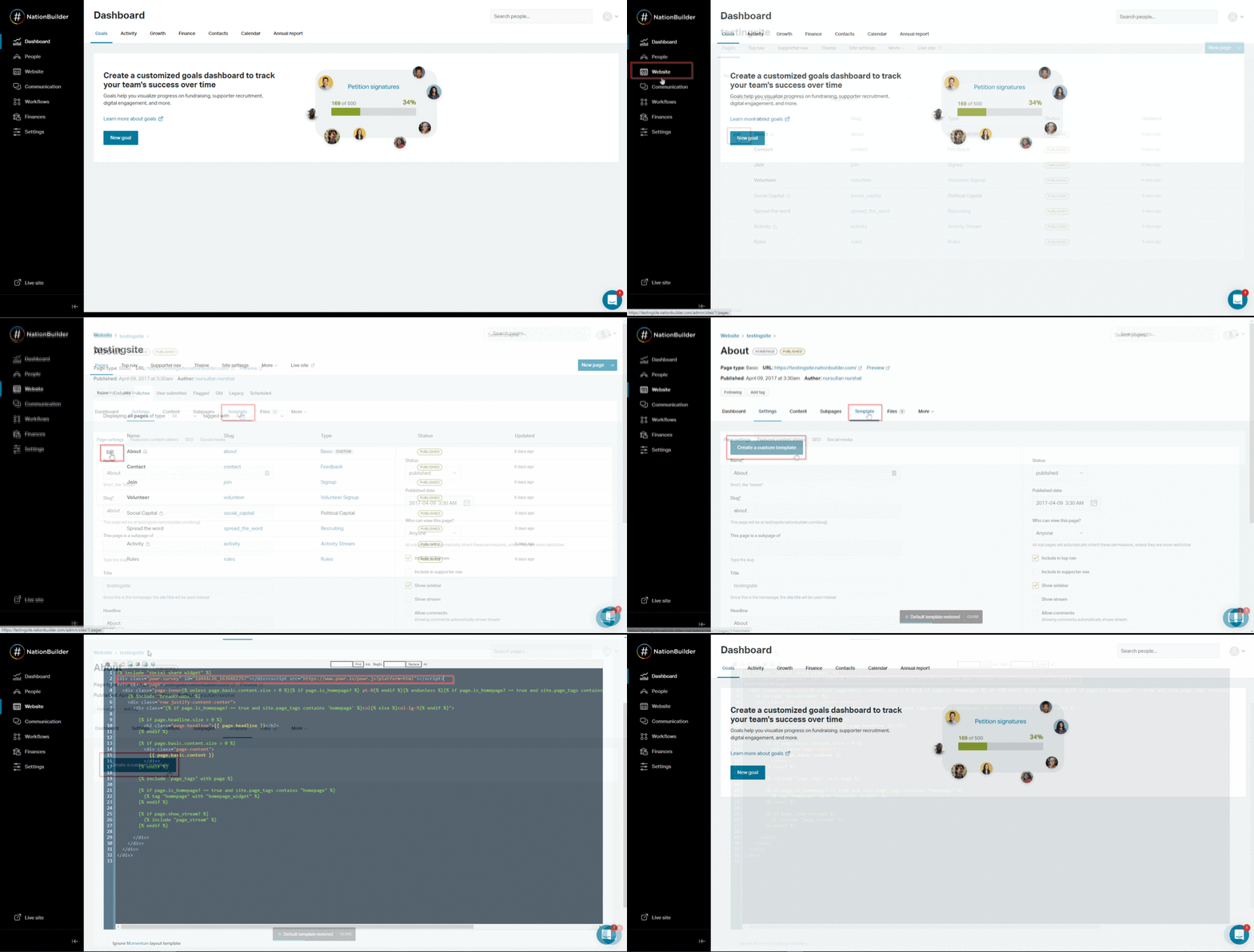
Installing POWR on NationBuilder is a quick and easy way to add powerful interactive functionality to your site — from collecting supporter information through forms to engaging your community with popups and countdown timers. Once embedded your POWR app will display and function exactly as expected, and any changes you publish in the POWR editor will automatically update on your live NationBuilder site without needing to touch the embed code again. If you run into any trouble during the installation or have any questions along the way, our support team is always here and happy to help — don’t hesitate to reach out!
Need Help?
If you need any help or have any questions about POWR app, our support team is happy to help.
👉 Contact our support team
When contacting us, you'll be prompted to authenticate your email by signing in, and a confirmation code will be emailed to you. This helps ensure our support team's reply will be delivered to you with no issues.
For more information about available features, visit our Pricing Page:
https://www.powr.io/pricing