
How to Find and Download POWR App Invoices in Wix
Keeping track of your billing history is an important part of managing any subscription — and if you’re using POWR apps through the Wix App Market, finding and downloading your invoices is easier than you might think. Since POWR subscriptions purchased through Wix are billed and managed directly through Wix’s billing system, your invoices are stored within your Wix account rather than on powr.io. In this article we’ll show you exactly where to find your POWR invoices in Wix and how to download them in just a few simple steps — whether you need them for accounting, expense reporting or just for your own records.
Accessing Your Wix Billing History
Locating Invoices for POWR App Subscriptions
Downloading or Printing Your Invoice
Accessing Your Wix Billing History
To begin, you'll need to navigate to your Wix account's billing section:
Log into your Wix account: Visit www.wix.com and enter your credentials.
Access Billing History: Click on your profile picture in the top right corner and select Billing History from the dropdown menu.
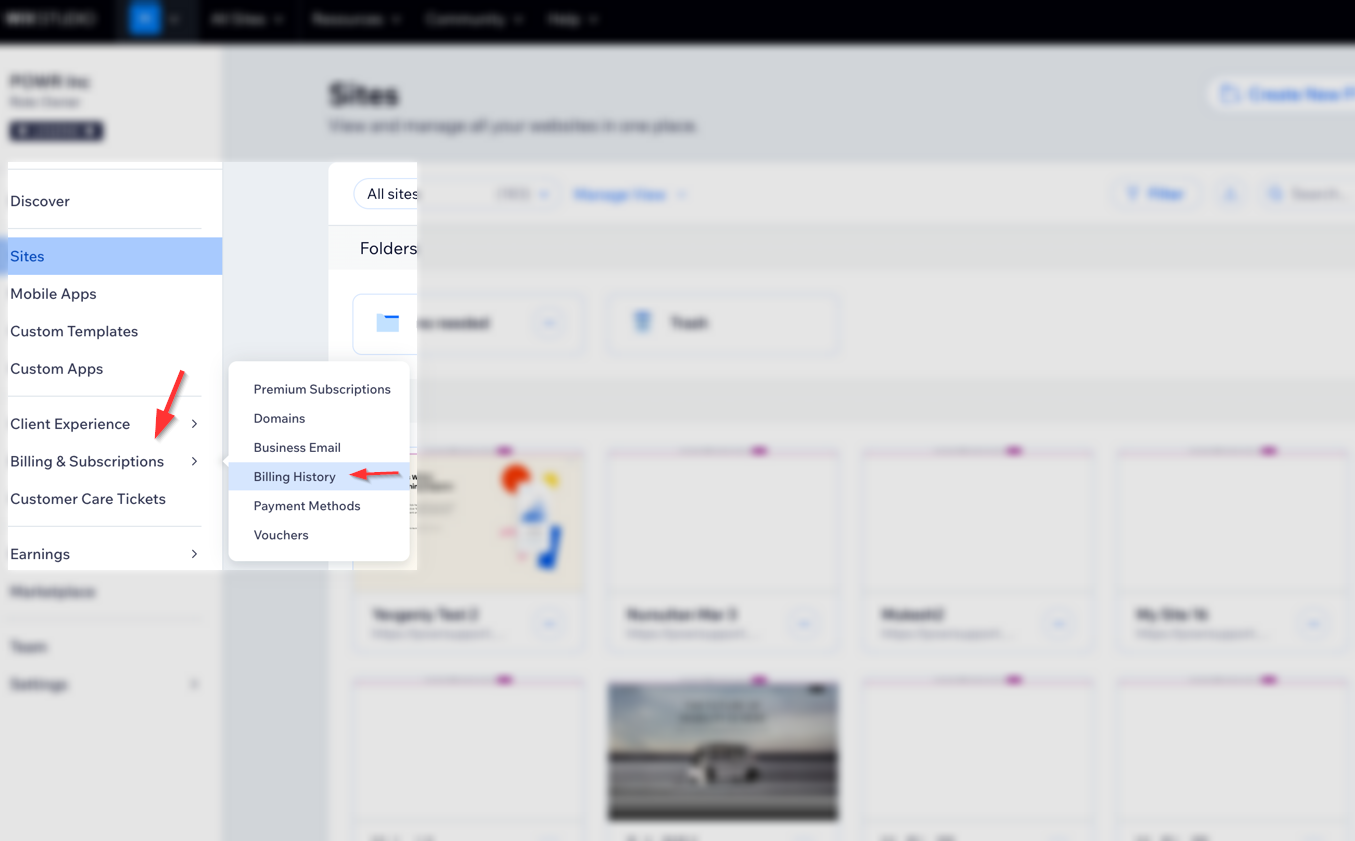
Locating Invoices for POWR App Subscriptions
Once in your Billing History, follow these steps to find invoices related to your POWR app subscriptions:
Identify the Relevant Subscription:
Look for transactions labeled with the specific POWR app name or simply "POWR."
If you purchased multiple POWR apps, make sure to select the correct one.
View Invoice Details: Next to the relevant transaction, click the More Actions icon (⋯) and select View Invoice.
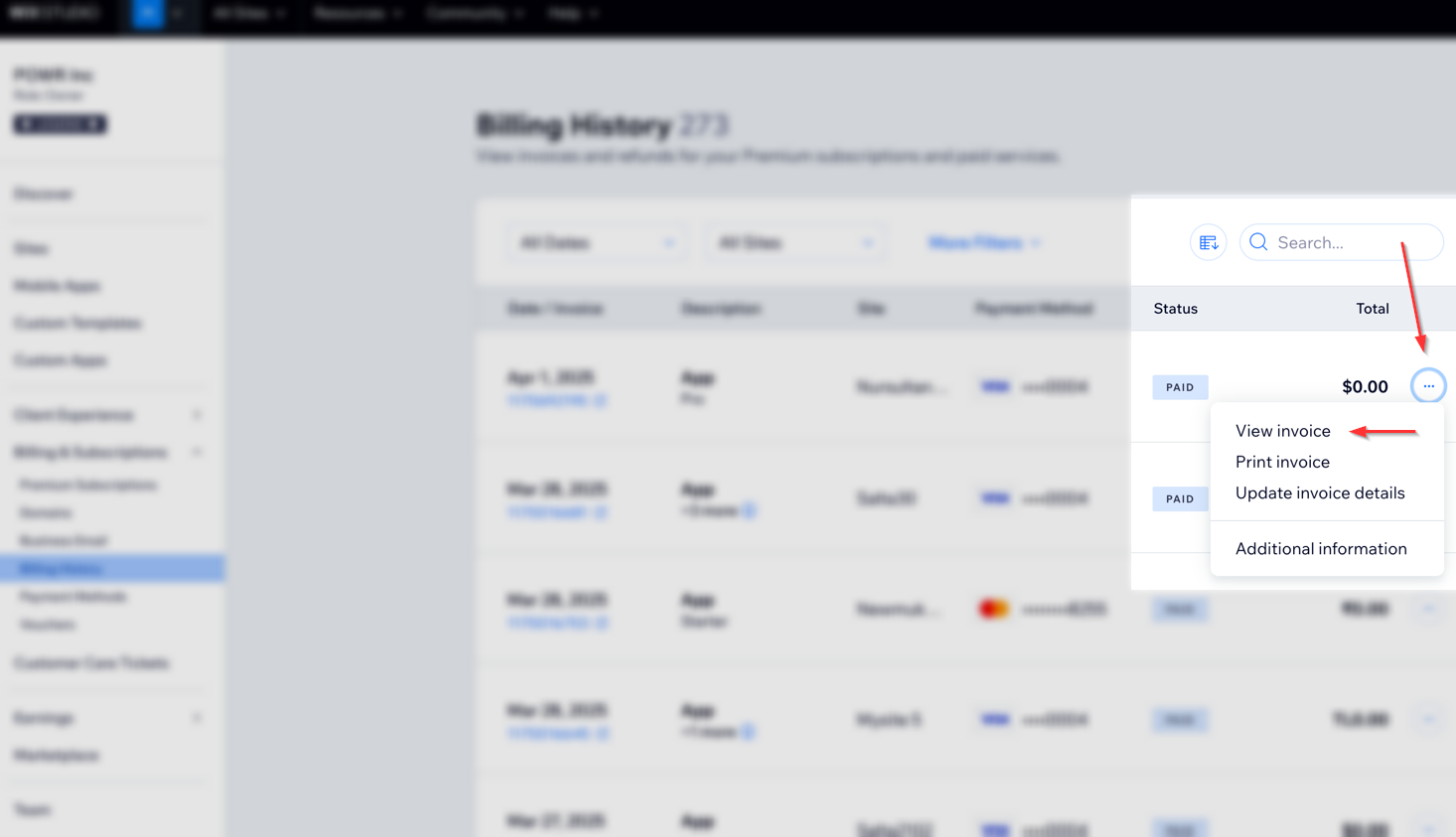
Downloading or Printing Your Invoice
After accessing the invoice details:
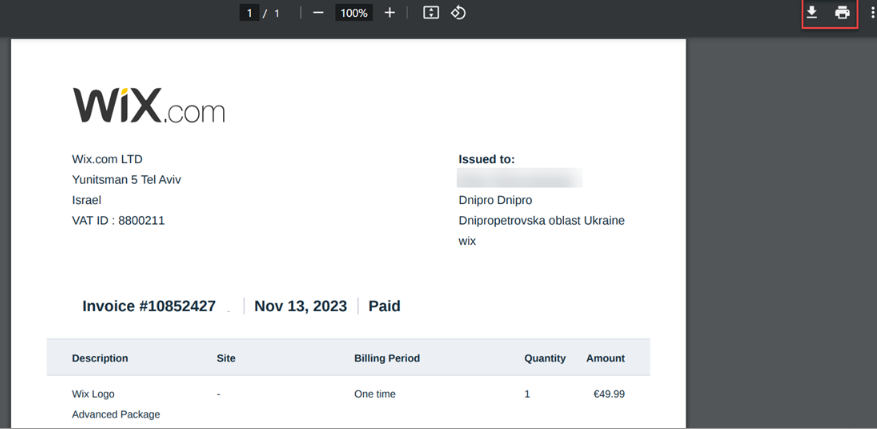
Download: Click the Download icon to save the invoice as a PDF to your device.
Print: Click the Print icon to print a physical copy of the invoice.
For more information on downloading invoices for Wix subscriptions and services, refer to Wix's official guide.
FAQs
Why can't I find my POWR app invoice in Wix Account?
If you're unable to locate your POWR app invoice, ensure that:
The purchase was made through the Wix App Market.
You're logged into the correct Wix account associated with the purchase.
You purchased the upgrade directly at www.powr.io . Learn more here:
Can I access invoices for POWR apps purchased directly from POWR.io?
No, invoices for purchases made directly through POWR.io are managed separately. You can download your invoices following this guide: Downloading POWR account receipts For more assistance, please contact POWR's support team.
Conclusion
Finding and downloading your POWR invoices through Wix is a quick and straightforward process that can be done entirely from within your Wix account. Whether you need a single invoice or your full billing history, everything is stored and accessible in one convenient place. If you’re having trouble locating a specific invoice or have any questions about your billing, don’t hesitate to reach out to our support team — we’re always happy to help point you in the right direction!
Need Help?
If you need help or have questions about our apps, our support team is happy to assist.
Contact our support team
When you contact us, you'll be prompted to authenticate your email by signing in, and we'll email you a confirmation code. This helps ensure our support team's reply reaches you without issues.
For more information about available features, visit our Pricing Page:
https://www.powr.io/pricing