
How do I change my billing frequency for my upgrades?
To view your active subscription, log in to your account at POWR.io,
Go to "My Account" (by clicking your profile icon at the bottom right and choosing Account, or just by clicking the settings button on the left)
Select Subscriptions.
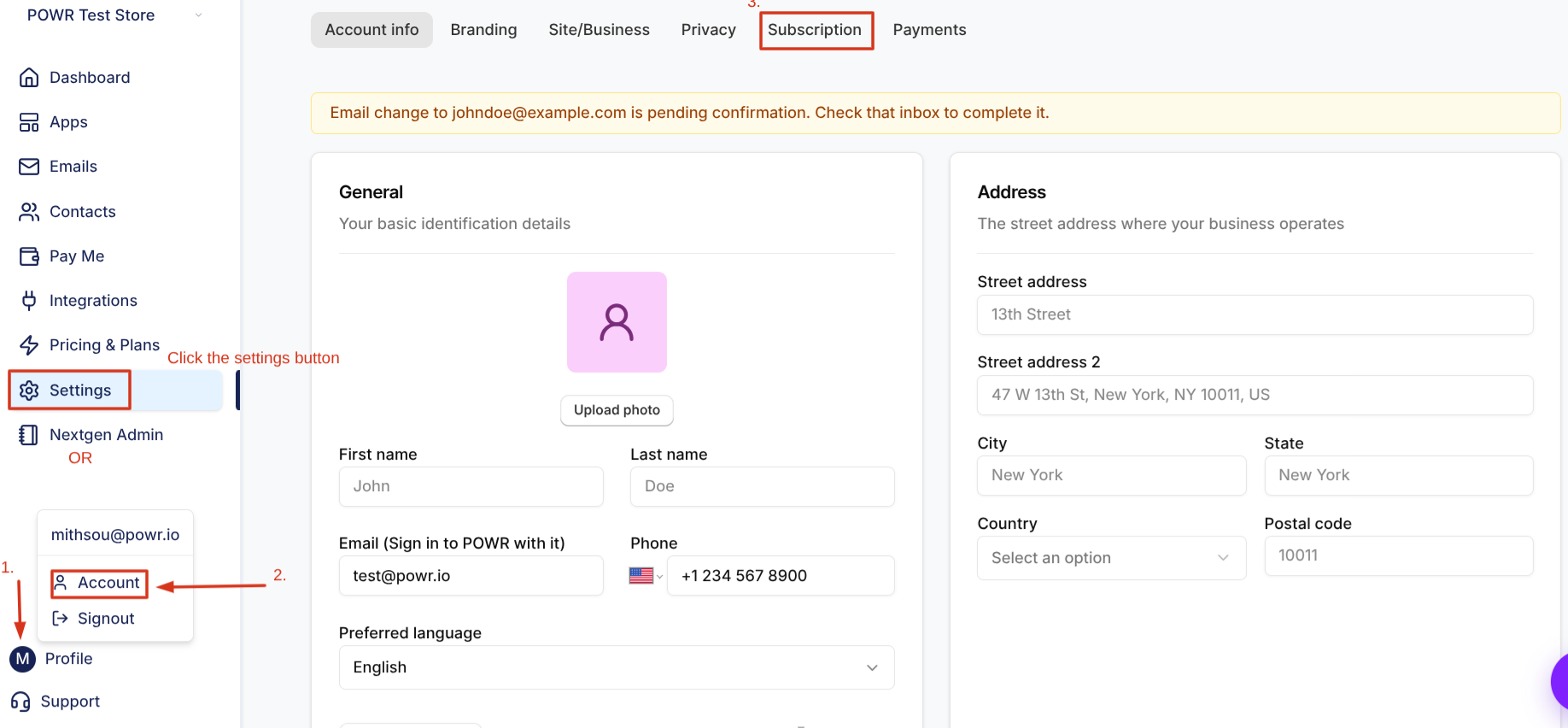
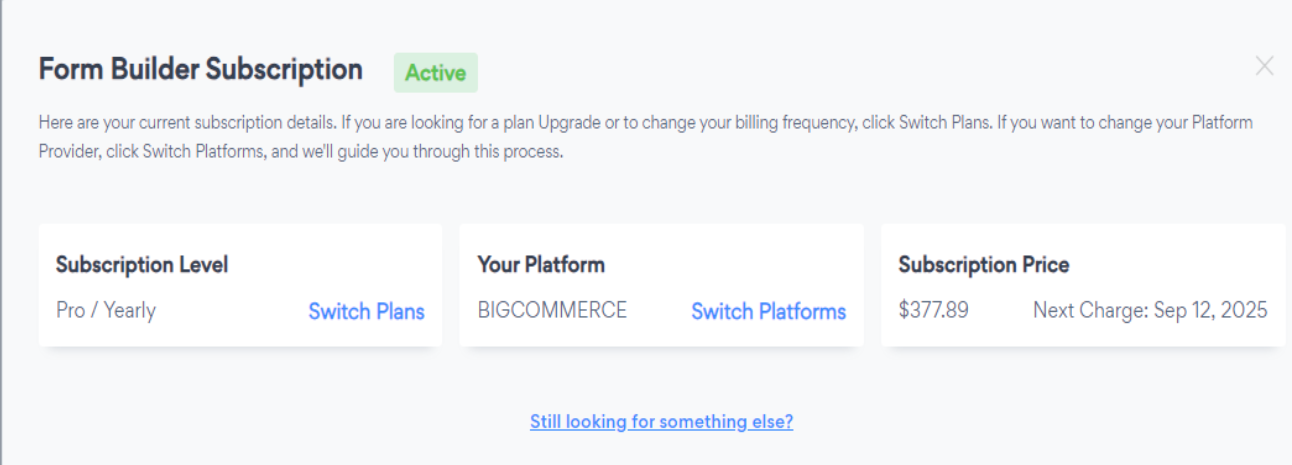
In the Subscriptions window, you can see all active and past subscriptions in your POWR account.
To downgrade your subscription to a lower plan, click I want to switch plans.
From there, you can change the frequency by switching to yearly or biennial billing.
In the example below, there's an option to switch to biennial only, since the user is already on a yearly plan.
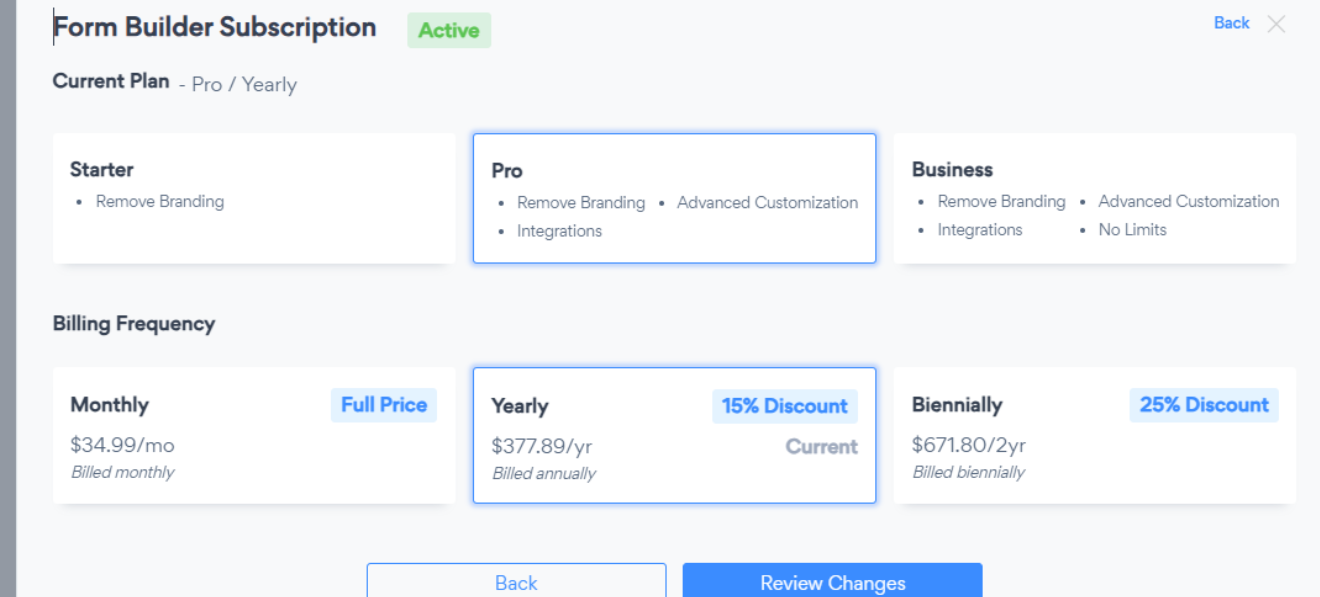
Note: With an active Monthly upgrade, you can change the billing frequency to Yearly or Biennially (every 2 years).
Need Help?
If you need any help or have any questions about our Form Builder, our support team is happy to help.
👉 Contact our support team
When contacting us, you'll be prompted to authenticate your email by signing in, and a confirmation code will be emailed to you. This helps ensure our support team's reply will be delivered to you with no issues.
For more information about available features, visit our Pricing Page.