
How to Receive Applications in the POWR Job Board App
When setting up a POWR Job Board, you can redirect applicants to an application link or set an email address to receive the application.
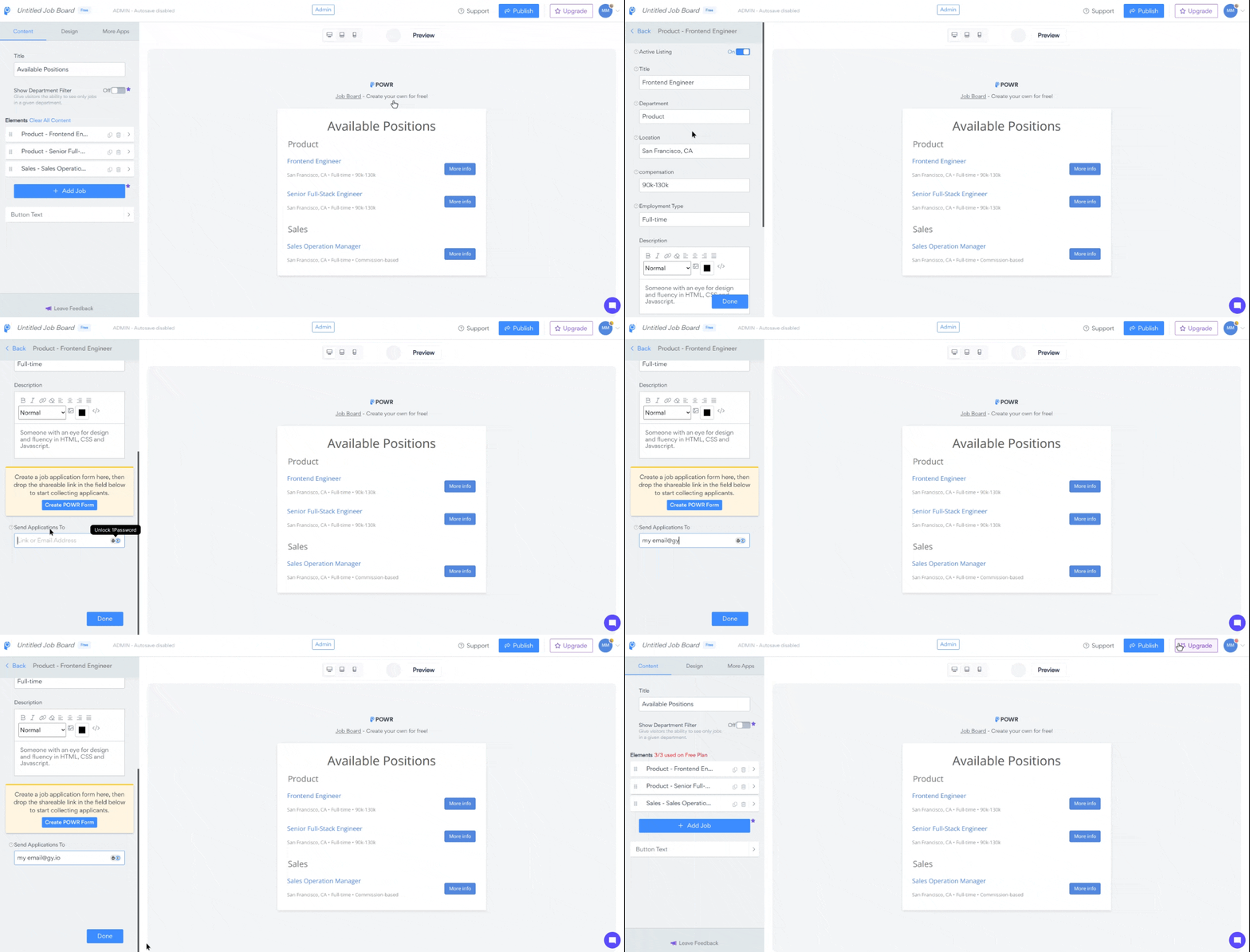
Go to the Content tab of the POWR editor
Click each of your desired positions to show settings for the job details
Scroll down to the bottom and add your email address or your link under the Send Applicants
This must be done for each position
Option 1: Email Address
Entering an email address into the field will allow applicants to email you directly.
Option 2: Link
You can use this option if you have a page on your site where users can go to apply for the jobs, as entering a link redirects the applicants to a page where they can apply for the position.
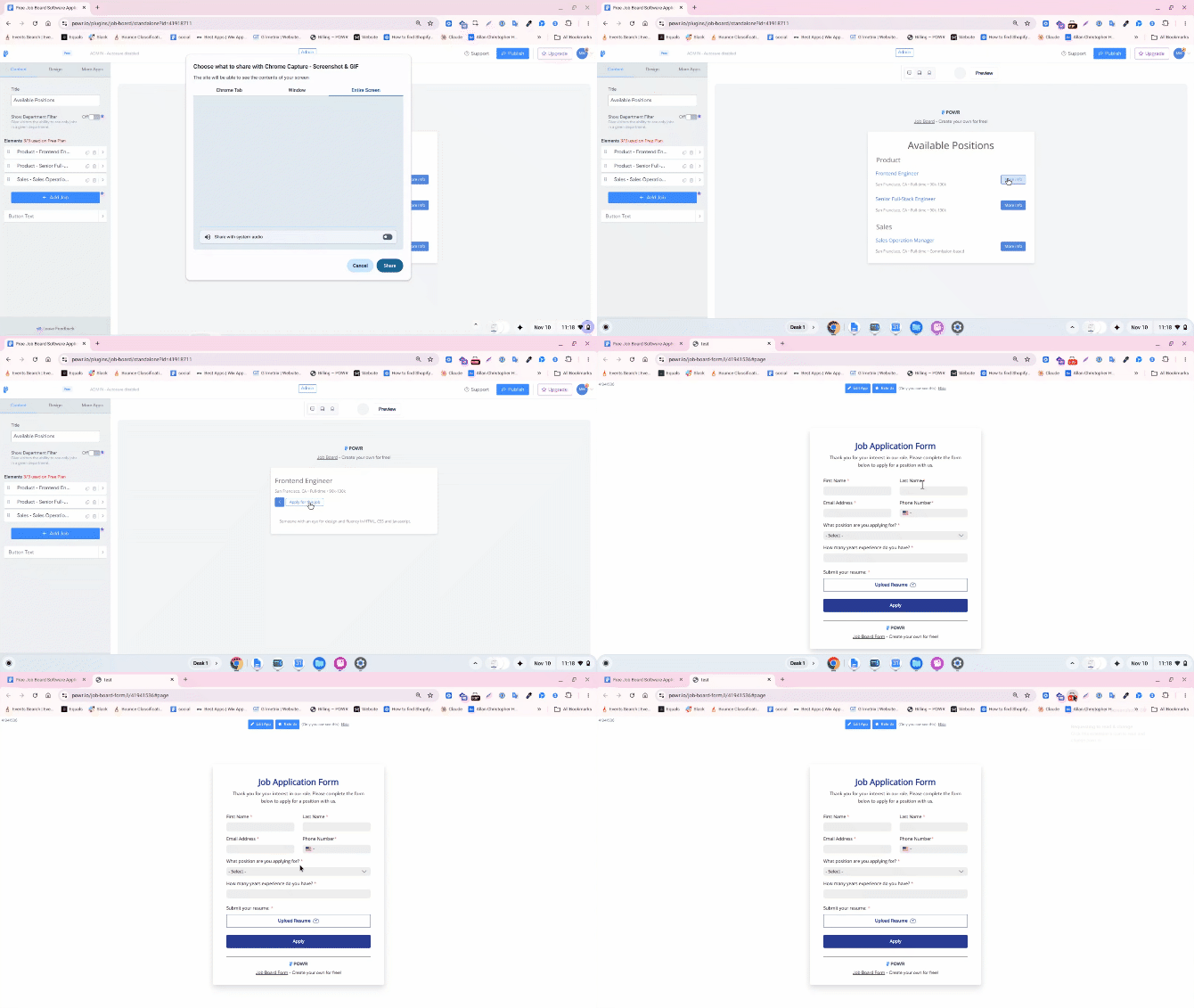
Alternatively, you can create an application using POWR Form Builder and use the shareable view link to send applicants directly to the form.
To create an application using POWR Form Builder, head over to this link: Form Builder
NOTE: If you are using Wix, we recommend adding our Form to a page on your Wix site and linking to that page. You can add POWR Form Builder to your Wix site using this link: https://www.wix.com/app-market/form-builder-payments
To get the share link for the form, check out this article: How to share an App
This example shows how the redirect to a POWR form works:
FAQs
Q: Is it possible to put a Location Filter on a Job Board
app? A: Unfortunately, there isn't a way to add a new Location Filter at this time. The only filter currently available within the Job Board app is the Department Filter. Apologies for the inconvenience. If you want to see this feature in our Job Board app in the future, you can always Submit A Feature Request.
Need Help?
If you need any help or have any questions, our support team is happy to help.
👉 Contact our support team
When contacting us, you'll be prompted to authenticate your email by signing in, and a confirmation code will be emailed to you. This helps ensure our support team's reply will be delivered to you with no issues.
For more information about available features, visit our Pricing Page.