
How do I Share an App or Add Collaborator Access?
Need someone else to edit your POWR app? You can easily share your app with teammates, clients, or collaborators without giving them access to your entire account.
This article explains how to share an app, what collaborators can do, and how to remove access if needed.
In This Article
Share a POWR App
To share one of your apps:
Log in to your POWR Dashboard.
Open the app you'd like to share.
Click "Publish" → "Invite Collaborators".
Enter the email address of the person you'd like to invite (you can optionally include a message for them as well)
Click "Invite".
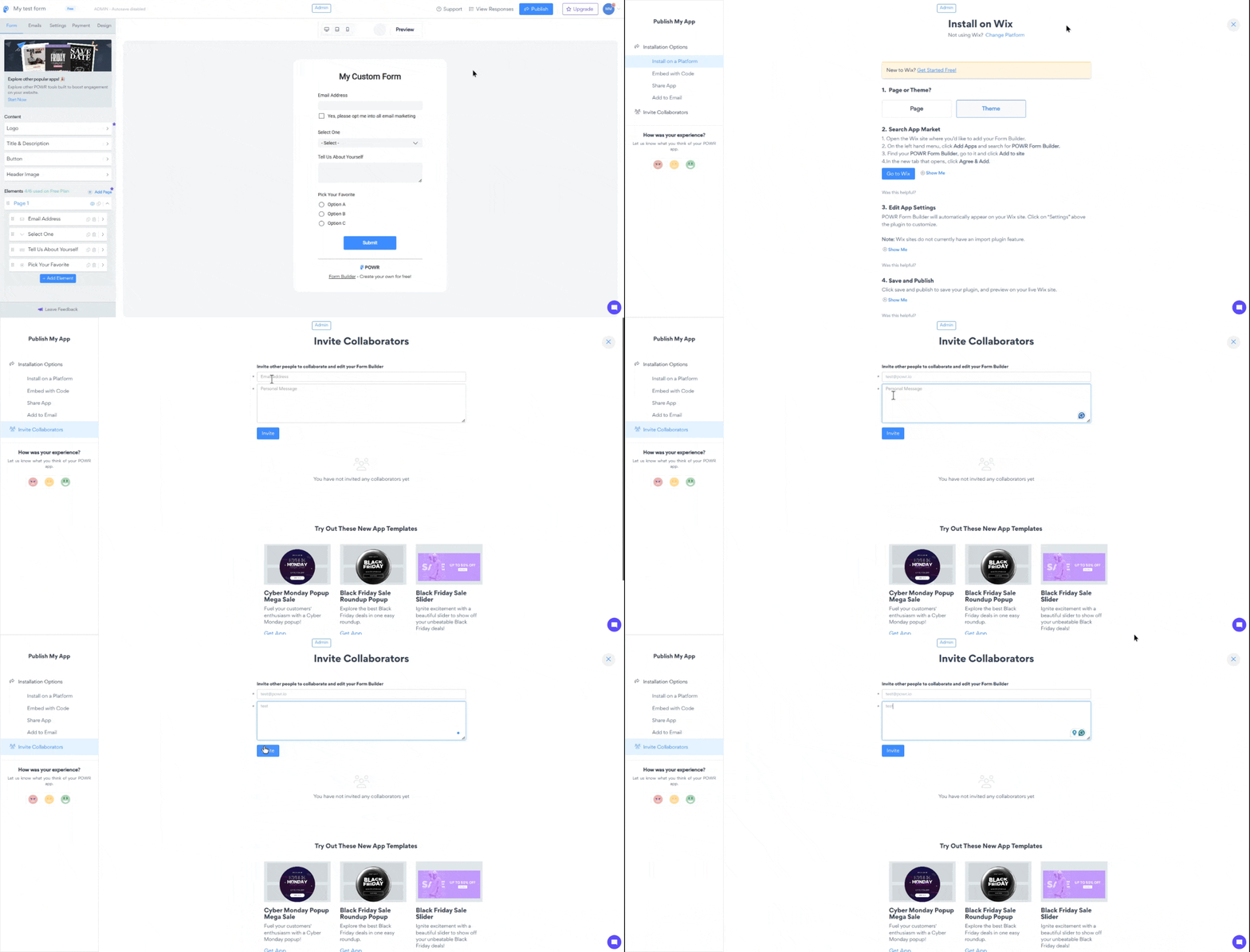
The recipient will receive an email to create a POWR account and access the apps where you shared access.
Invite a Collaborator
You can invite multiple collaborators to the same app.
Each invited user will be able to access that specific app from their own POWR dashboard after accepting the invitation.
This is ideal for:
Team members
Designers
Developers
Marketing agencies
Clients
What Collaborators Can Access
Collaborators can:
Edit the app
Update content
Modify the design
Change settings
Publish changes
They cannot:
Access your other POWR apps
View your billing information
Manage your account settings
Change your subscription
Only the owner of the app retains control over billing and account management.
Frequently Asked Questions
Can multiple people edit the same app?
Yes. Multiple collaborators can access the same app.
To avoid accidentally overwriting each other's changes, we recommend that only one person edit the app at a time.
Can I transfer ownership of an app?
Sharing an app does not transfer ownership.
The original account remains the app owner and continues to manage billing and subscriptions.
If you need to transfer ownership permanently, please contact our support team.
Does the collaborator need a paid plan?
No. Collaborators can access shared apps using a free POWR account.
The app will continue using the owner's subscription and available features.
Can collaborators install the app on my website?
Yes, collaborators can edit and publish changes to the shared app. However, billing and subscription management remain with the account owner.
Need Help?
If you need any help or have any questions, our support team is happy to help.
👉 Contact our support team
When contacting us, you'll be prompted to authenticate your email by signing in, and a confirmation code will be emailed to you. This helps ensure our support team's reply will be delivered to you with no issues.
For more information about available features, visit our Pricing Page.