
Set a limit or deadline for Form Submissions
With the Form Builder limit submissions feature, it is possible to set a submission limit, deadline, or both. This can be extremely helpful if you only have a limited number of registrants that you can accept for a class, or if you want to make sure that no one signs up for your event after it has already taken place.
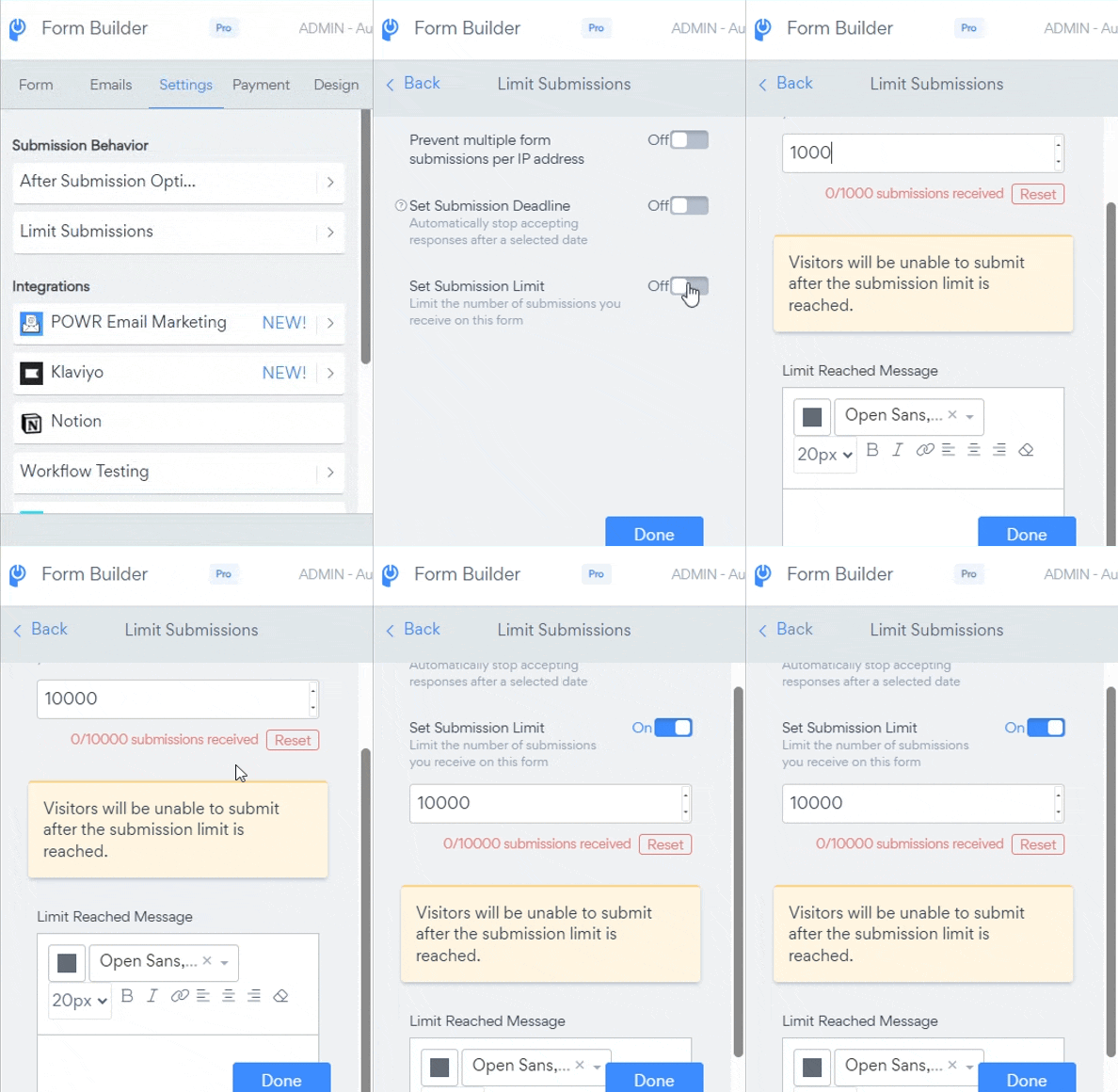
The submission limit and deadline settings can be found in "Settings" -> "Limit Submissions"
When either a deadline or a limit has been set, a "Limit Reached Message" setting will become visible. Use this to customize the message that will be displayed to visitors instead of your form after the deadline.
*The submission limit and deadline are upgraded features.
Need Help?
If you need any help or have any questions about our Form Builder, our support team is happy to help.
Note: You need to sign up with your email to contact us.
For more information about available features, visit our Pricing Page