
Intro to POWR Survey/Poll
Knowing what your visitors think can shape everything from your products to your content, and the easiest way to find out is to ask. POWR Survey/Poll lets you collect feedback right on your website, with no coding or extra tools required. You can run a quick one-question poll to gauge opinions or build a longer survey with multiple question types, then view the results as they come in. In this article we’ll give you a quick introduction to POWR Survey/Poll, including what it can do and how to get started with your first one.
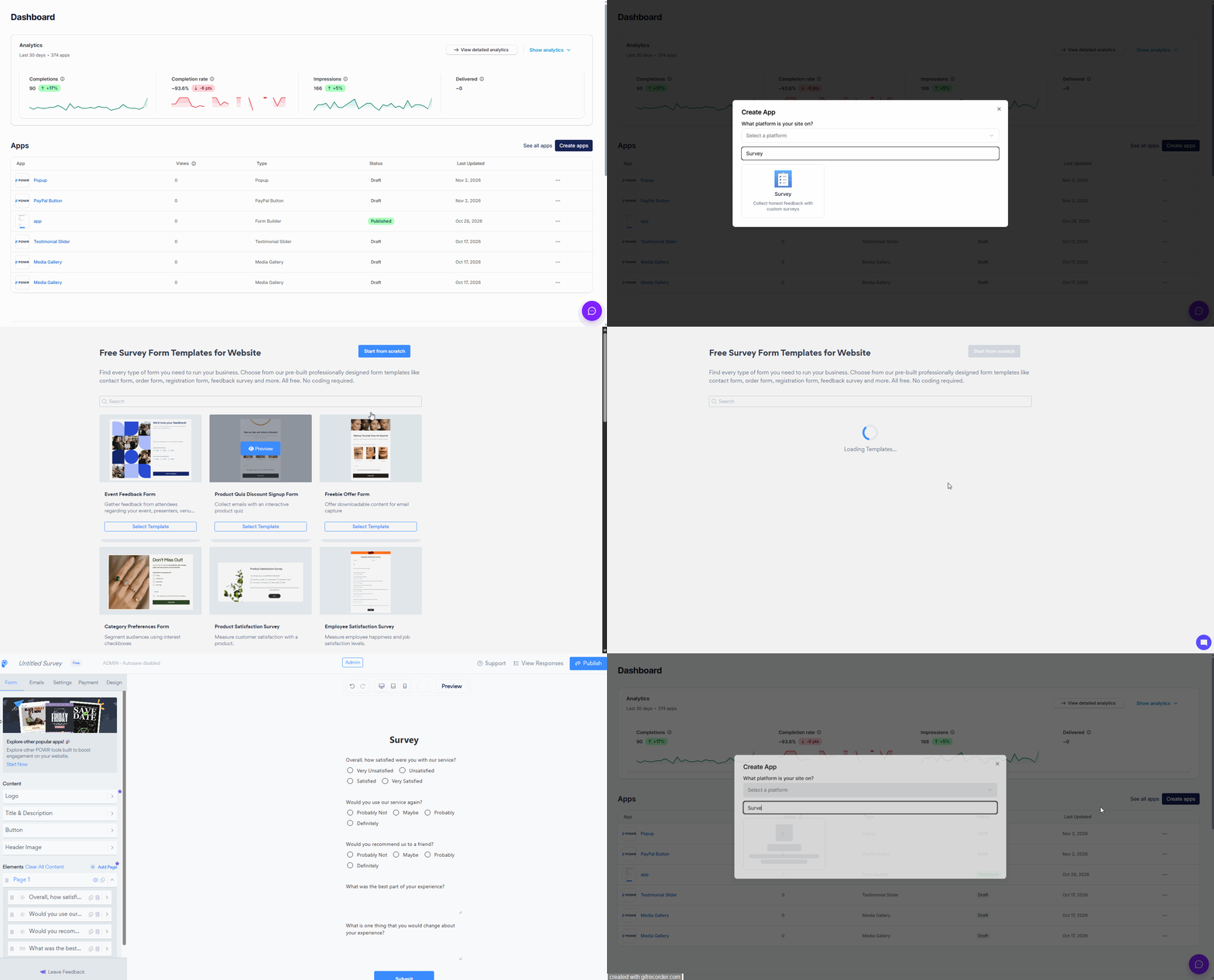
To create a new Poll, follow these steps:
Log in to your POWR.io account.
Click Create New.
Select Poll/Survey from the popup.
Edit and Save
Once your poll is ready, choose what to do with it:
Add it to your website
Save it for later in your POWR account
POWR Survey/Poll is a simple, flexible way to hear directly from your audience and turn their answers into useful insights. Whether you’re running a quick poll or a full survey, you can create it in minutes, add it to your site and watch the responses come in. If you have any questions about building your first survey or poll, our support team is always here and happy to help, so don’t hesitate to reach out!
POWR Polls/Surveys are having the very same functionality as POWR Forms. Please check this article https://help.powr.io/hc/en-us/articles/115002366528-Intro-to-POWR-Forms on how to make a setup a POWR Survey/Poll.
❗️ Every article about POWR Forms applies to the Poll/Survey apps as well.
Need Help?
If you need help or have questions about our apps, our support team is happy to assist.
👉 Contact our support team
When you contact us, you'll be prompted to authenticate your email by signing in, and we'll email you a confirmation code. This helps ensure our support team's reply reaches you without issues.
For more information about available features, visit our Pricing Page:
https://www.powr.io/pricing