
Huge header gap in the mobile version of Formbuilder
A large blank gap at the top of your form on mobile makes it look unfinished and can confuse visitors before they even reach your questions. In this article, you'll learn what causes the gap and how to remove it in a few steps.
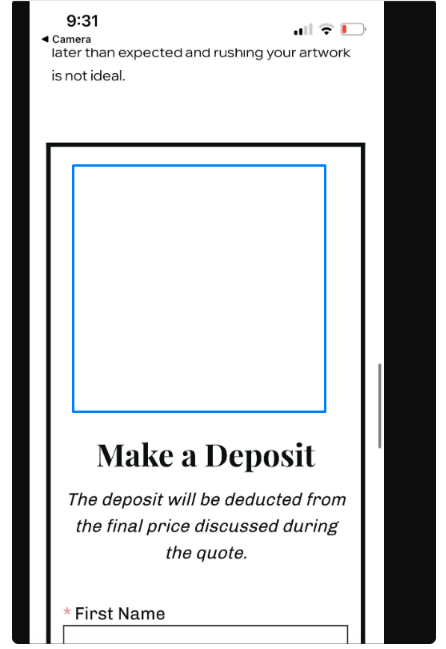
The example below shows how this issue looks on a mobile screen — a large blank space appears at the very top of the form, above the first question, before the fix is applied:
To resolve the issue please follow these steps:
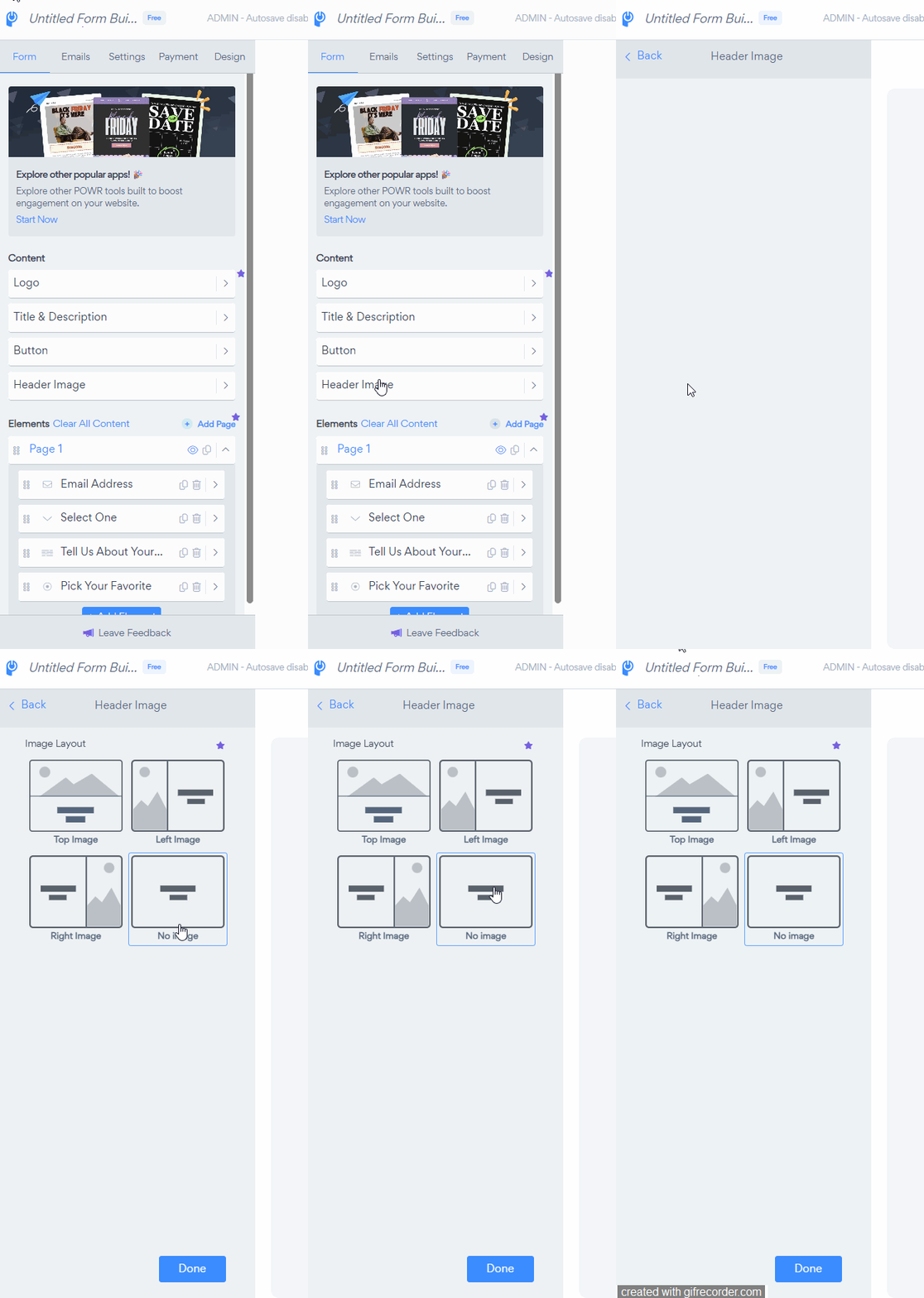
In your Form Builder, open App settings.
Go to Form and select Header image.
Set the layout to No image.
Click Save to apply the change.
Still seeing the gap?
If the gap persists after following these steps, our support team is happy to take a closer look. Contact our Support team and include your form URL so we can investigate.
Want more from your Form Builder?
Unlock advanced features — integrations, more email administrators, larger file uploads, and more — by upgrading your plan. View pricing plans →