
Getting Started with POWR Pay Me
POWR Pay Me gives you your own payment page at powrpay.me/your-name. Share a payment link in a message or email, print a QR code for your counter, or ask your AI assistant to make one for you. Customers pay on their phone with PayPal or a card, and the money goes straight to your own PayPal or Stripe account. In this article we'll walk you through setting up Pay Me and sharing your first link.
Note: POWR doesn't charge a fee on Pay Me payments and never holds your money. PayPal or Stripe charge their usual processing fees.
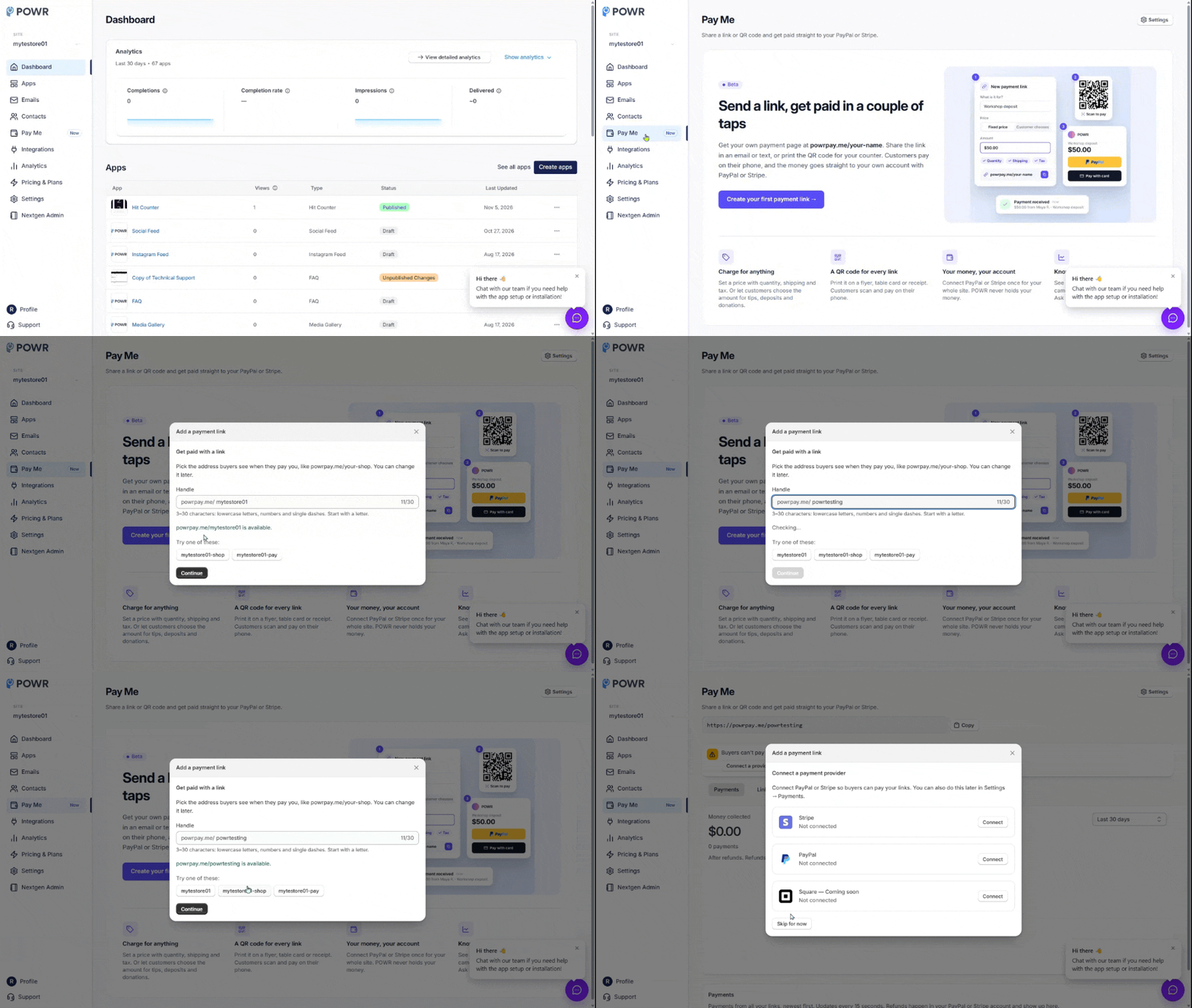
Step 1: Choose Your Handle
Your handle is the address your customers see, like powrpay.me/your-shop. Each site has its own.
Log in to your POWR dashboard and click Pay Me in the left menu.
Click Settings (or go to Settings → Payments).
Type the handle you want. We'll tell you right away if it's available.
Click Create my payment page.
Handles are 3–30 characters: lowercase letters, numbers and single dashes, starting with a letter. You can change it later, and your old address keeps working.
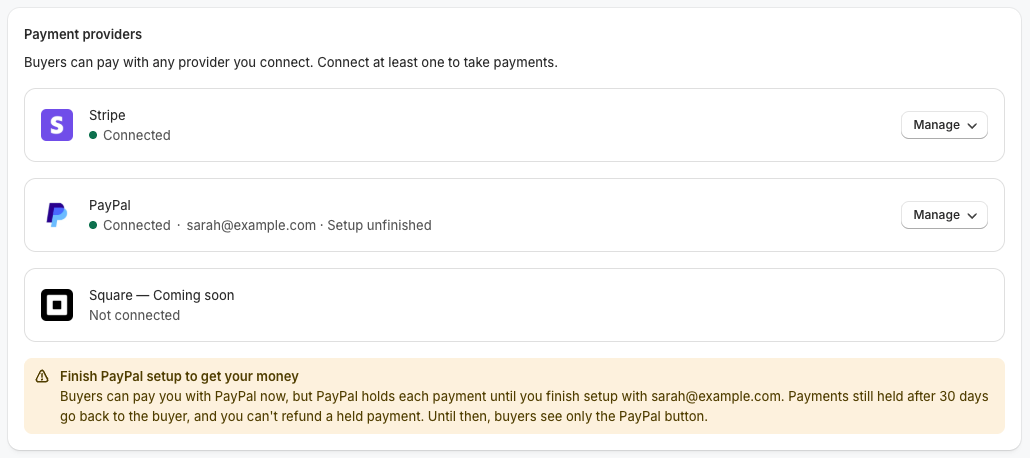
Step 2: Connect PayPal or Stripe
Under Payment providers, click Connect next to PayPal or Stripe and finish in the window that opens. Your customers can pay with any provider you connect.
For PayPal, you can start with just your PayPal email. See Connect PayPal or Stripe to POWR Pay Me for the details.
Step 3: Create Your First Payment Link
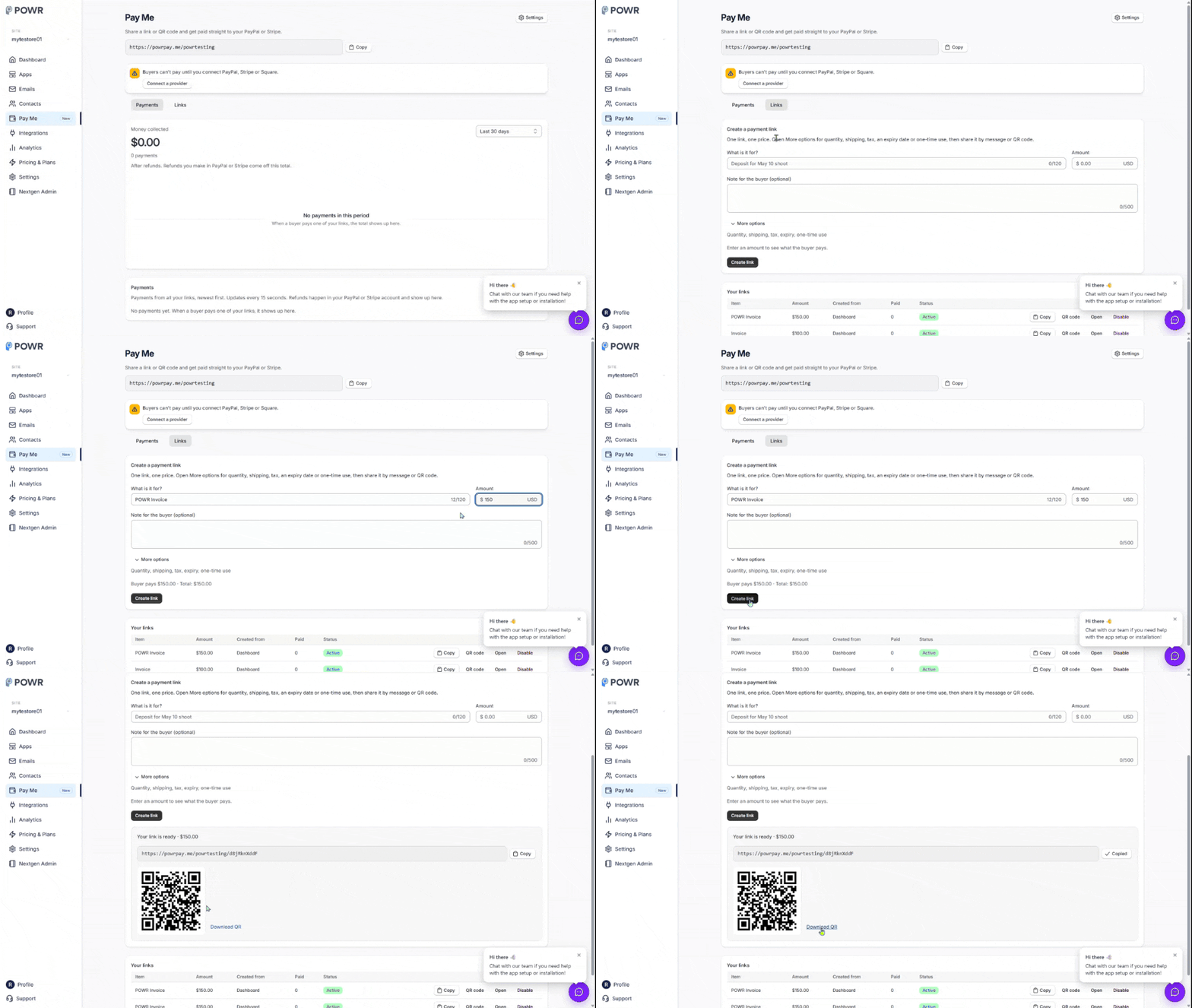
Go to Pay Me and open the Links tab.
Under What is it for?, describe the payment, for example Deposit for May 10 shoot.
Enter the Amount (at least $0.50).
Click More options beloow the optional Note for buyer if needed
Click Create link.
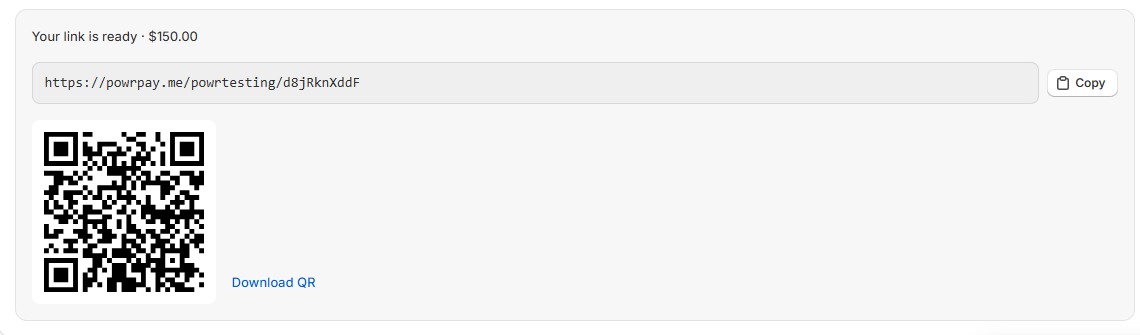
Your link is ready to copy, and you can download its QR code.
More Options
This dropdown will provide the following optional options:
Let buyers choose a quantity: set a max quantity from 1 to 99.
Shipping fee: a flat amount, charged once per order.
Tax rate: from 0 to 25%, applied to the item total.
Expires on: the link stops working at the end of that day (up to one year ahead).
One-time use: the link closes after one payment. Handy for a single customer's invoice.
Step 4: Share It
Paste the link anywhere in a text, DM or email.
Print the QR code on a flyer, table card or receipt.
You can also share your page itself, powrpay.me/your-handle. There, customers type any amount from $1 to $10,000, which works well for tips, deposits and donations.
What Happens When Someone Pays
The money goes to your PayPal or Stripe account.
You get a Payment received email.
Your customer gets a receipt from your business.
The payment shows up on the Payments tab, and the customer is added to your Contacts.
Change or Retire a Link
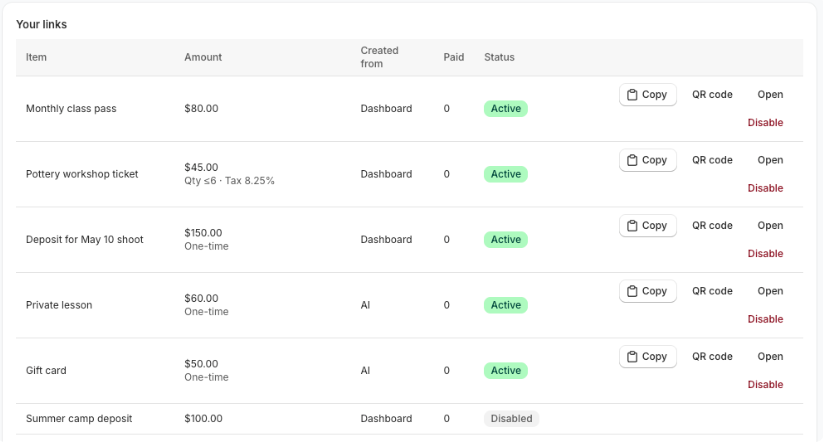
Links can't be edited, so a customer always pays the price they saw. To change a price, Disable the old link and create a new one.
To disable a link, click Disable in your links list and confirm. Customers who open it can no longer pay. This can't be undone.
Frequently Asked Questions
What does POWR Pay Me cost?
Nothing from POWR. PayPal or Stripe take their usual processing fee.
Who on my team can set it up?
Only the site owner can choose the handle and connect or disconnect payment providers. Collaborators can create links and see payments.
Can I use the PayPal or Stripe account I already connected to a PayPal Button or form?
Not yet. Connect it again in Pay Me. Pay Me's connection is separate, so changing it never affects your other apps.
Need Help?
If you have any questions about POWR Pay Me, our support team is happy to help.